Chapter 43 · Part 5
AI Reply Log
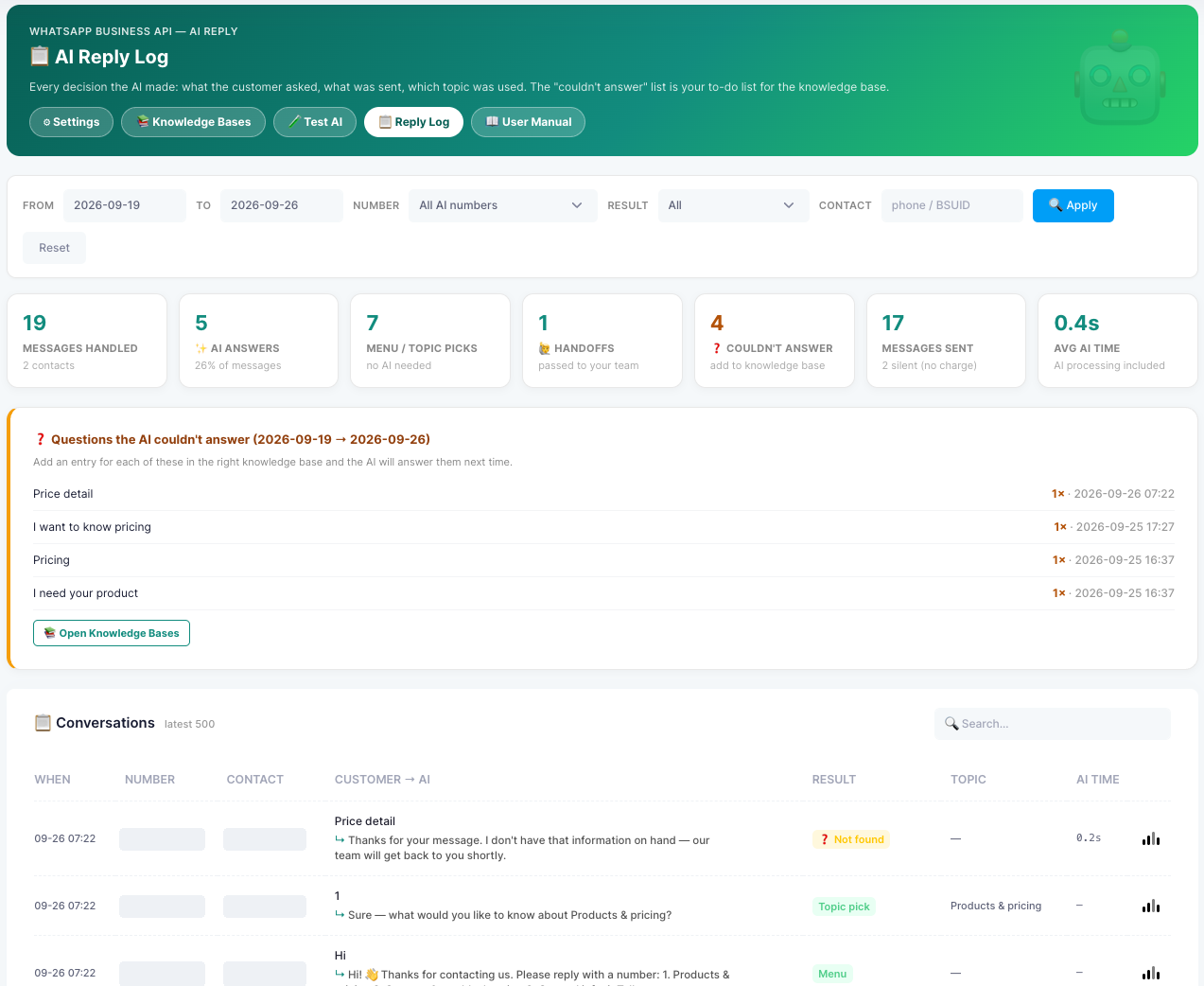
Every decision the AI made — what the customer asked, what was sent, and which topic was used. The “couldn’t answer” list is your to-do list for the knowledge base.
Opening the log
Go to WhatsApp Business API → AI Reply and click the Reply Log tab. Use the filter bar to narrow the view, then click Apply (or Reset to clear it).
- From / ToThe date range — e.g. the last 7 days.
- NumberOne business number, or all AI numbers.
- ResultShow only one kind of result — e.g. only questions the AI couldn’t answer.
- ContactFind one customer by phone number or WhatsApp user ID (BSUID).
The summary cards
- Messages handledIncoming messages AI Reply processed, and from how many contacts.
- AI answersQuestions the AI answered from your knowledge base, and their share of all messages.
- Menu / topic picksGreetings and menu choices — handled without the AI.
- HandoffsChats passed to your team.
- Couldn’t answerQuestions with no matching entry — add them to your knowledge base.
- Messages sentReplies sent to customers. Messages that got no reply (such as “ok” or “thanks”) are shown as silent — no charge.
- Avg AI timeAverage time the AI took to prepare an answer.
Questions the AI couldn’t answer
This list shows each unanswered question for the selected period, how many times it was asked and when it was last asked. Click Open Knowledge Bases, add an entry for each question in the right topic, and the AI will answer it next time.
The conversations table
The table lists the latest messages (up to 500), newest first, and can be searched:
- When / Number / ContactWhen the message arrived, which business number received it, and the customer.
- Customer → AIWhat the customer sent, and the reply that was sent back.
- ResultHow it was handled — e.g. Menu, Topic pick, an AI answer, a handoff, or Not found.
- TopicThe knowledge base used, where there was one.
- AI timeHow long the AI took — blank when the AI wasn’t needed.
A weekly routine
Keep your AI improving
Open the log
Last 7 days
Check the list
Couldn’t answer
Add entries
In the right topic
Test again
In Test AI
A few minutes each week steadily reduces fallback replies and handoffs.