1800 87 7061 (Malaysia Toll Free) +603 2780 3880 (KL)
Unleashing WhatsApp Business API's potential. Contact us now to explore the API, its capabilities, and how it can benefit your company. Boost engagement, offer personalized experiences, and tap into WhatsApp's full potential for your organization. Don't miss the chance to elevate your customer communication with the WhatsApp Business API!
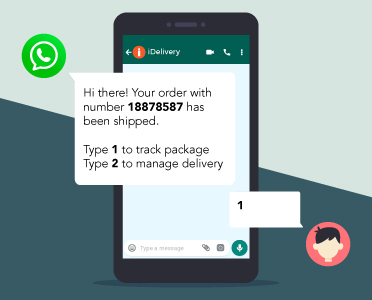

For businesses seeking a reliable, compliant, and high-performance solution to send OTP (One-Time Password) or TAC (Transaction Authorization Code) messages to Malaysia and Indonesia via WhatsApp, our WhatsApp Business API (WABA) OTP / TAC messaging service is designed to enhance security, ensure full compliance with Meta policies, and guarantee fast delivery of critical authentication messages using an official WhatsApp Business channel.
Send bulk promotional emails, transactional emails like invoices and receipts seamlessly with our reliable and efficient email solutions.
Learn More

Start to interact with your customers now. With simple steps, iSMS provide you with a powerful tool that helps you with your business.
See how our customer use iSMS to increase their sales and maintain valuable customer loyalty.
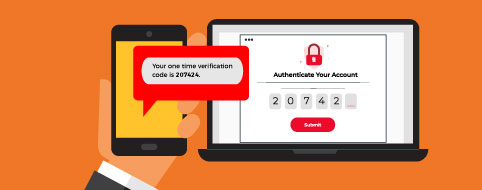
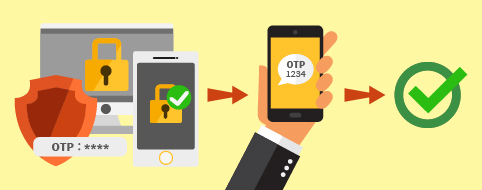
2FA Two-Factor Authentication is an extra layer of security that requires users to use both their online password and mobile phone to verify their identity to access a service or web app. Integrating iSMS 2FA Two-Factor Authentication into your web applications or services, will provide additional security to users while they use your applications. A One-Time Pin code will be sent to user via SMS to verify their identity and resume the process.
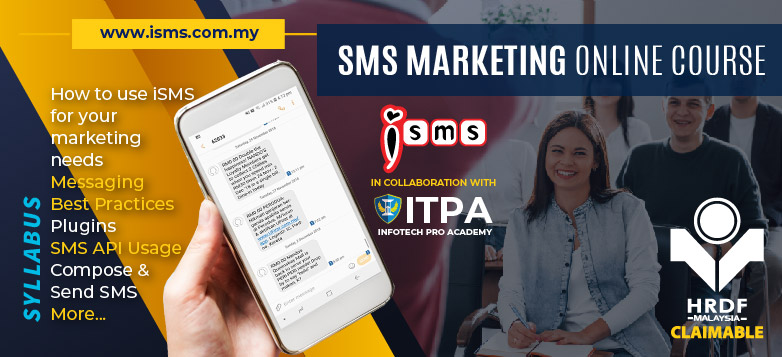
SMS Marketing Online Course collaboration with ITPA Skills Academy. A full-day online course is designed to provide marketeers with effective SMS Marketing strategies to increase sales & brand awareness, retain & strengthen customer relations, introduce new products and launch promotion campaigns. Succeed every marketing campaign at both profit and non-profit organizations.
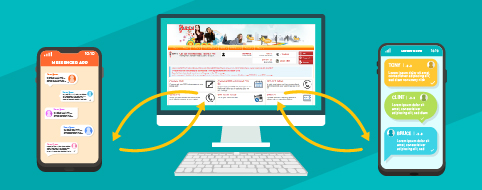
iSMS leverages the power of 4G for your customers to reply directly to your SMS via a HTML form. Enjoy various advantages such as:
When using iSMS corporate SMS service, you do not need to worry about slow sending rate because we provide the best and reliable SMS service route available for your customer. Under proper conditions, as long as your customers phone numbers are correct, all conditions are met, your SMS shall be in a good hand.

iSMS certified by Digicert SSL.
Safe & Secure.
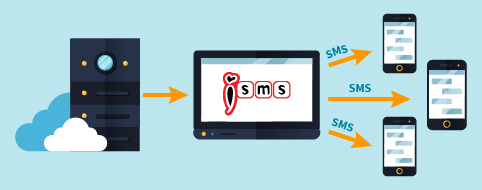
OTP (one time password) is common for any Mobile APP (Android or IOS) to verify their user’s phone number. With iSMS, we can help you to send the SMS via our API. All you need to do is register and account with us, provide your verification and you are done in no time.

iSMS is now working with U20.Me to provide URL shortener, unsubscribe system, QR code and subscription to SMS address book.
Generate QR code, or links with U20.Me and let your customers, clients subscribe to your address book easier. The QR code is linked to a subscription form, your user will fill up the form to complete the subscription.
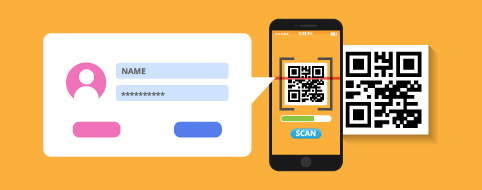

This feature comes FREE with your SMS account. Your customers can click unsubscribe to automatically exclude from your list in the future and you can choose to filter the unsubscribe list yourself or leave it to our iSMS AI to filter the SMS list for you.
iSMS provides SMS service in Malaysia, Singapore, Indonesia and Philippines. We are confident in providing you with the best and reliable SMS service in this region. Our SMS engine is capable to do even more for you as we are able to send SMS to most of the Telcos worldwide.


Please feel free to complete the form for demo request
Malaysia Toll Free: 1800 87 7061
Kuala Lumpur: +603 2780 3880
Email: sales@mobiweb.com.my
The Bulk SMS Malaysia team realizes that the ability to add sub accounts under a main user is very useful especially the main account is an expanding company. You can share and allocate credits to every sales agent's sub accounts for separate use to do SMS marketing.
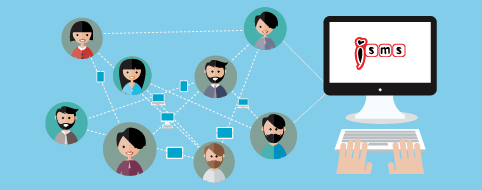
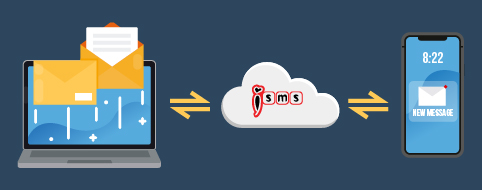
Feature email to SMS enable application that is currently sending Email is able to trigger SMS alert to multiple users. You do not even need to modify your current process to have SMS alert.
| Pricing below only apply to Malaysia Short Code | |||
| SMS Credit Plans | Price Per SMS (RM) | Total Amount (RM) | Action |
|---|---|---|---|
| 1,000 | RM 0.115 | RM 115.00 | Buy Now |
| 3,000 | RM 0.112 | RM 336.00 | Buy Now |
| 5,000 | RM 0.110 | RM 550.00 | Buy Now |
| 10,000 | RM 0.108 | RM 1,080.00 | Buy Now |
| 20,000 | RM 0.105 | RM 2,100.00 | Buy Now |
| 35,000 | RM 0.104 | RM 3,640.00 | Buy Now |
| 50,000 | RM 0.102 | RM 5,100.00 | Buy Now |
| 100,000 | RM 0.100 | RM 10,000.00 | Buy Now |
| 300,000 + | Contact us for our special quote! | ||

We are currently serving more than 6000 corporate customers nationwide Malaysia. iSMS has been serving the Malaysian corporate SMS needs Since 2007. We provide full range SMS services including SMS shortcode, Reliable SMS, 2 way SMS, SMS to email and other. We have solid team to support all your business needs. Please contact us today to start SMS marketing for your products through bulk SMS.
IMPORTANT: iSMS Malaysia will not provide any contact list. Therefore, it is advisable for you to have your own list of contacts.
DIY SMS Integration service is now available for anyone who wants to integrating Bulk SMS to any software and application using Bulk SMS API (Application Programming Interface). You can do a lot of things with iSMS API.
 Reliable and Affordable |
 Convenient |
 Fast and Reliable |
 High Security |
 No Setup Fee |
 iSMS Rates
 Customised SMS Integration


 Need Support?